
Expense management
Every company card, decided at the till.
A bank issues controlled cards to its corporate clients under its own brand. The company sets budgets, merchants, limits and approvals; Kayan applies them at the moment of purchase, and every figure is reconciled as it happens.
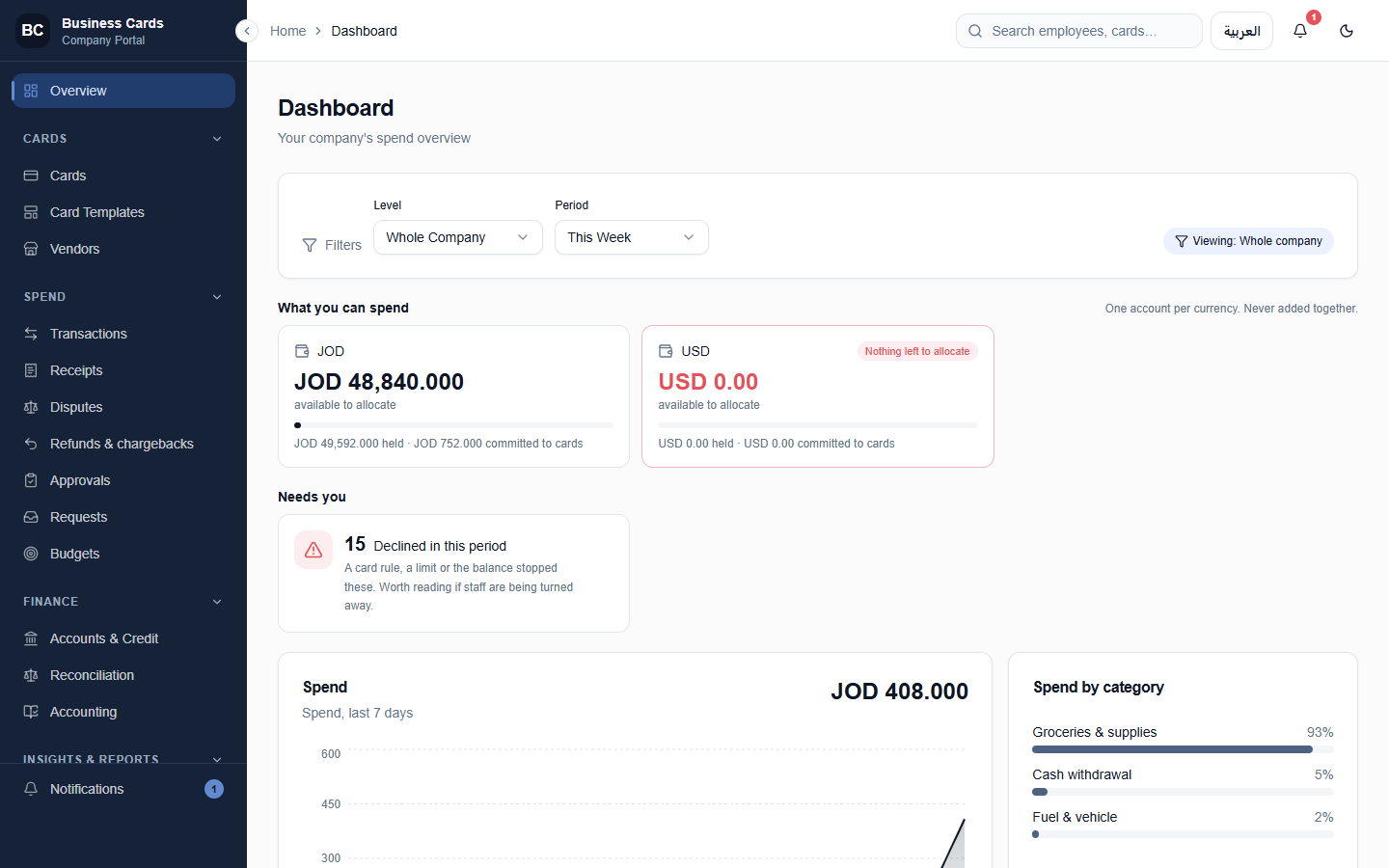
What the finance team sees
What can be spent, what was declined, and why — on one screen.
The company portal shows what is available to allocate in each currency, what is held and committed to cards, and how many payments were declined in the period — with the reasons a click away. Nothing is added across currencies.
Every refusal carries its reason
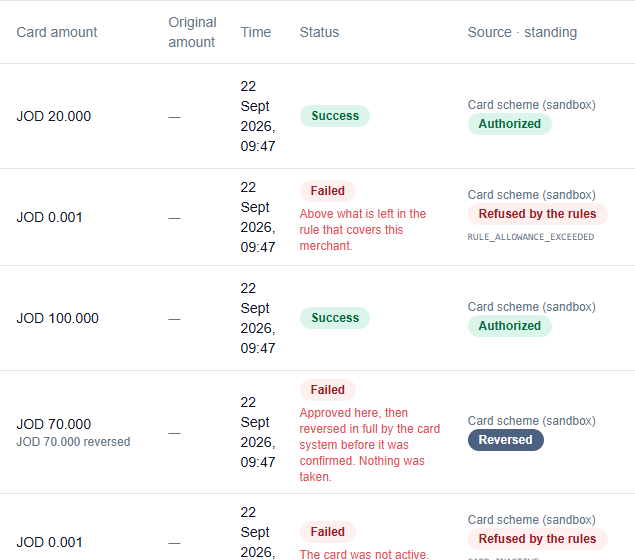
Refused by the rules — and the rule says which.
A payment the engine refuses is recorded with a coded reason and a sentence the finance team and the employee can both read. A payment the card scheme reverses is recorded as exactly that. Nothing is silently dropped.
Spending buckets
One card. Many budgets. Each on its own clock.
A bucket is a budget inside the card: its own merchants, its own money, its own refill. A card can carry a handful or a thousand of them. On a prepaid card a bucket shapes the balance; on a credit card it carves up the credit limit itself.
- Merchants and categories, by MCC or by name
- Its own amount, refilled every week or every month on prepaid cards
- Per-payment caps, countries, hours, cash and online switches
- Works on prepaid and on credit cards
Try the engine
Put a payment through.
This card carries four spending buckets and three card gates. Choose a purchase and watch it decided the way every real payment is: card gates first, then the matching bucket, then the answer with its reason.
Spending buckets
Add a bucket
Card gates
Choose a purchase
This card’s payments
Simulation. The card, buckets and amounts are examples; the checks, their order and the reason codes are the engine’s own.
In motion
Watch the card do its job.
Unlimited spending buckets
One company fund, every card draws from it, and every card holds as many buckets as the client needs.
The month end
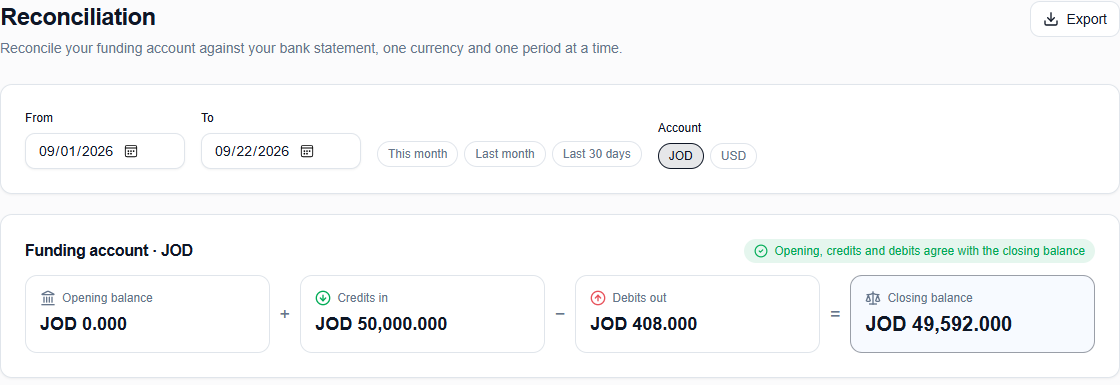
The month closes on figures that were already reconciled.
Opening balance, credits in, debits out, closing balance — one currency and one period at a time, with a plain statement of whether they agree. Receipts are matched to payments as they arrive, and the journal exports to the accounting system.
Three surfaces
The bank, the company and the employee each see their own.
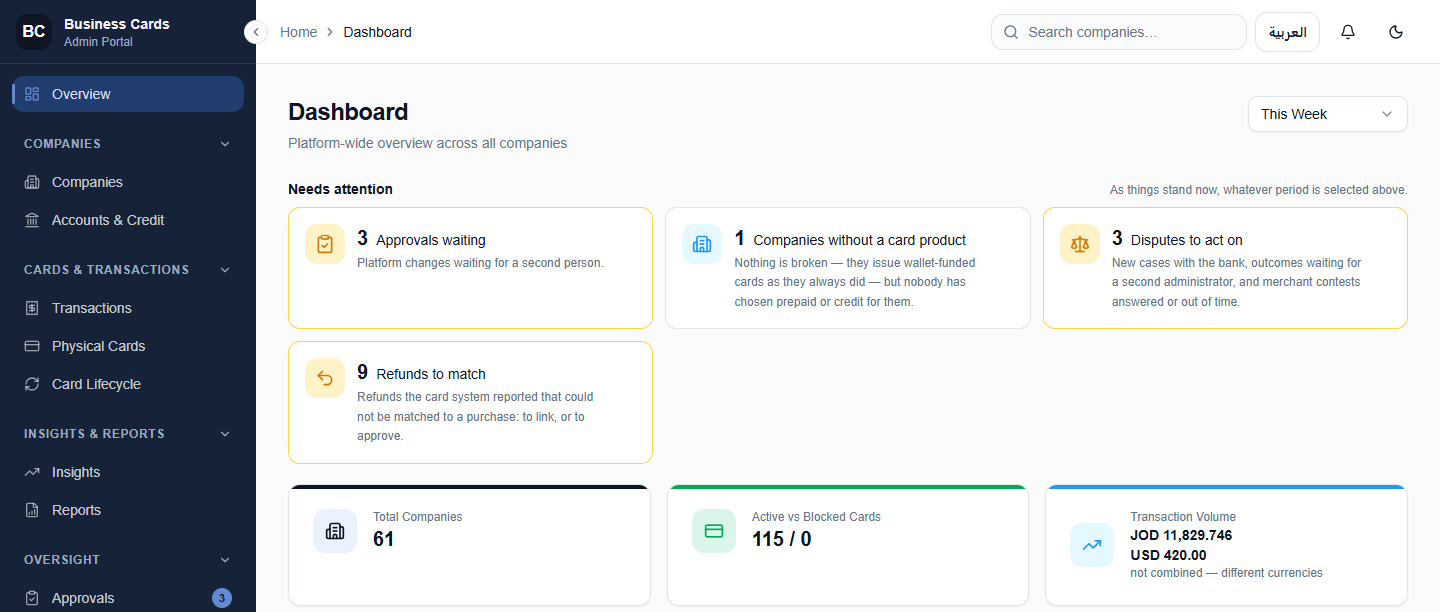
The bank · admin portal
Onboards companies, funds accounts and credit, supervises operations.
A platform-wide view of every company, every card and every approval waiting for a second person — with the refunds, disputes and operational exceptions that need attention listed first.
The company · company portal
Issues the cards, sets the rules, approves changes, closes the month.
- Cards and card templates
- Spending buckets and budgets
- Maker-checker approvals
- Receipts, reconciliation and accounting
- Disputes, refunds and chargebacks
- Reports and insights
The employee · mobile app
Sees what each card can spend, why a payment was refused, and asks for what they need.
- Balance and limits per card
- The reason for every refusal, in plain words
- Upload receipts
- Request a card or a limit
- Lock a lost card from the app
- Arabic and English
Expense management
Everything a card programme needs.
Rules engine
Decided inside the authorisation, not after it.
Prepaid and credit
Two products, one card each; virtual and physical carry the same credential.
Card controls
Per-payment limits, countries, trading hours, and switches for online and cash.
Approvals
Maker-checker on material changes by default, with the consequence stated before anyone agrees.
Receipts and reconciliation
Receipts matched to payments, and figures reconciled as they happen.
Reports and exports
One definition of every figure, from the dashboard to the accounting export.
Your brand
The institution’s name and colours on every screen, statement and email.
Arabic and English
Fully right-to-left on every portal and in the mobile app.
Thirty minutes, on a live programme.
We will onboard a company, issue a card, build its buckets in front of you, and put a purchase through — approved at one merchant, declined at the next.